All information is based on official Amazon Seller Central policies effective January 15, 2026. Fees and calculations are estimates using public benchmarks. Actual charges depend on your exact FNSKU data, sales velocity, and account settings. This is not financial, tax, or legal advice. Always check your Seller Central reports and consult professionals. Test your SKUs instantly with our free Profit Engine and Inventory Penalty Auditor at p4product.com.
Amazon’s Low-Inventory-Level (LIL) fee is the hidden cost of running too lean. In 2026, it applies when both your 30-day and 90-day historical days of supply fall below 28 days. Amazon adds an extra per-unit fulfillment charge on every shipped order while you’re in that zone.
The 2026 update makes it stricter: calculations now happen at the individual seller-FNSKU level (not parent ASIN), and it now hits Small Bulky and Large Bulky products too. Grocery remains exempt.
Sellers who drop below 28 days often lose ranking visibility because Amazon’s algorithm sees stockouts as a “negative signal.” The safe zone that avoids both LIL fees and aged-inventory surcharges is 35–150 days of supply.
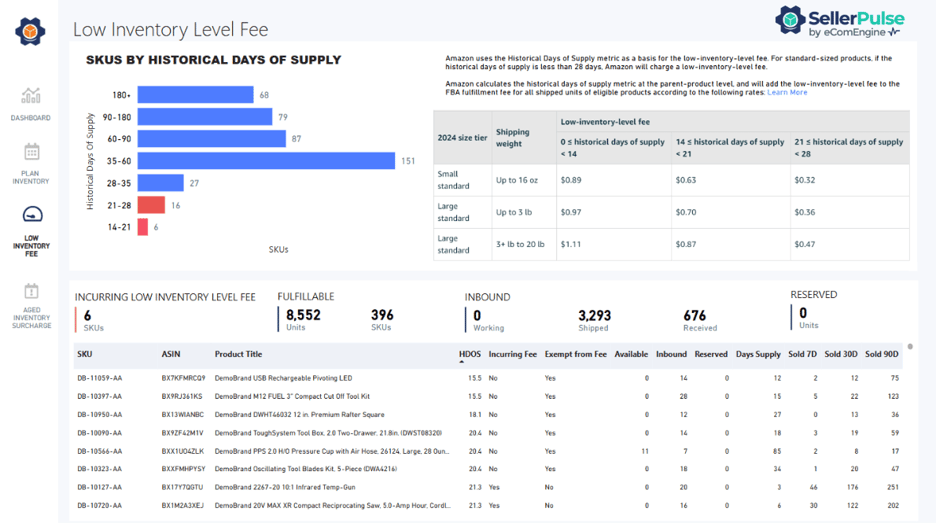
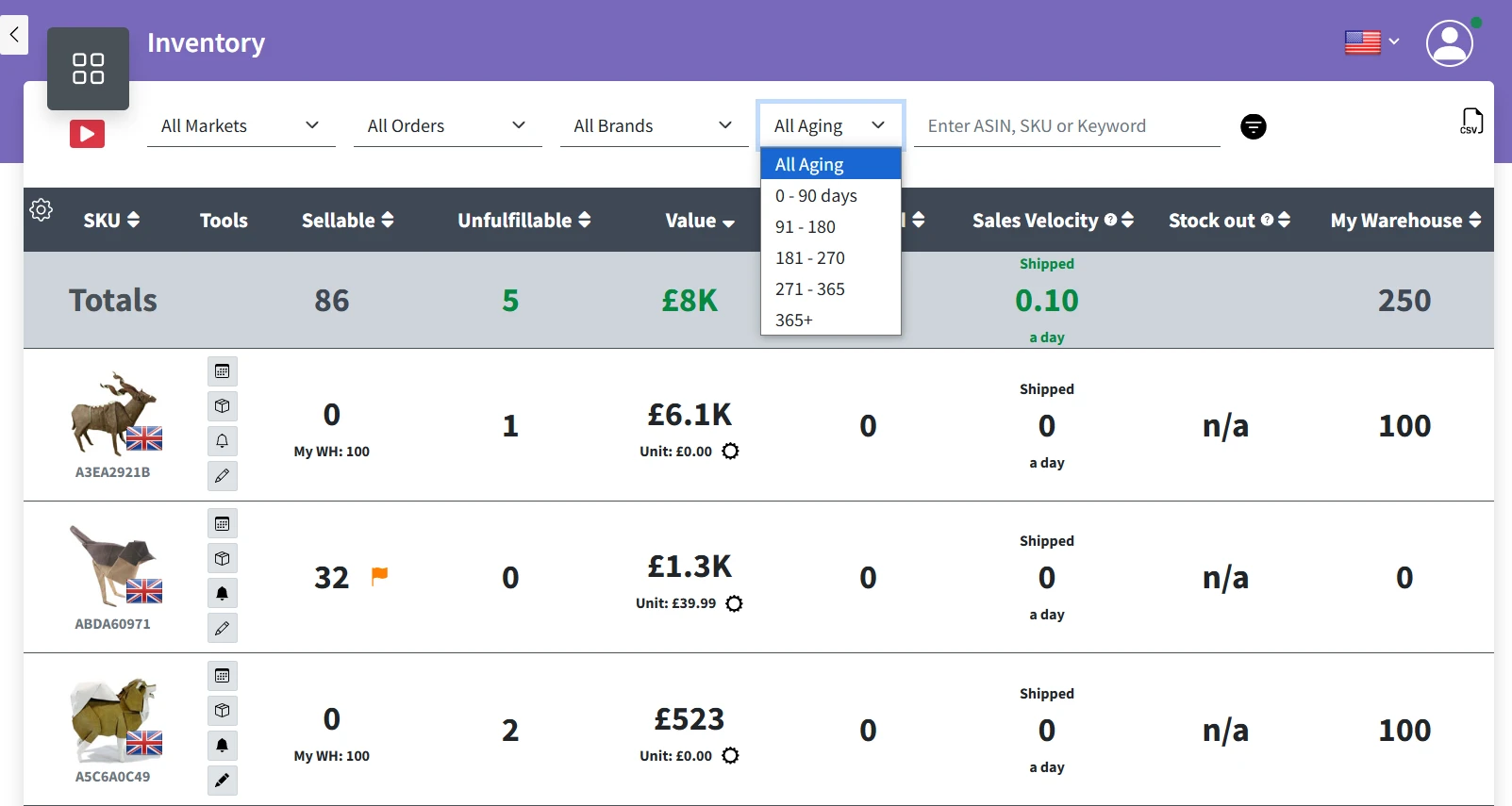
Seller Central dashboards showing historical days of supply and low-inventory alerts — exactly what triggers the fee.
Official 2026 Low-Inventory-Level Fee Structure
The fee is tiered by how low your days of supply are (both short-term and long-term must be <28 days). Rates apply only to shipped units during the low period.
| Days of Supply | Small Standard (≤16 oz) | Large Standard (up to 3 lb) | Large Standard (3+ lb) | Bulky Products (2026) |
|---|---|---|---|---|
| 0–14 days | $0.89 | $0.97 | $1.11 | $1.15–$2.09 |
| 14–21 days | $0.63 | $0.70 | $0.87 | $0.92–$1.45 |
| 21–28 days | $0.32 | $0.36 | $0.47 | $0.52–$0.78 |
Key 2026 changes
- FNSKU-level calculation (variations are judged separately).
- Now includes Small & Large Bulky.
- Only triggers if both 30-day and 90-day averages are below 28 days.
- High-velocity items (100+ units/month history) are monitored most closely.
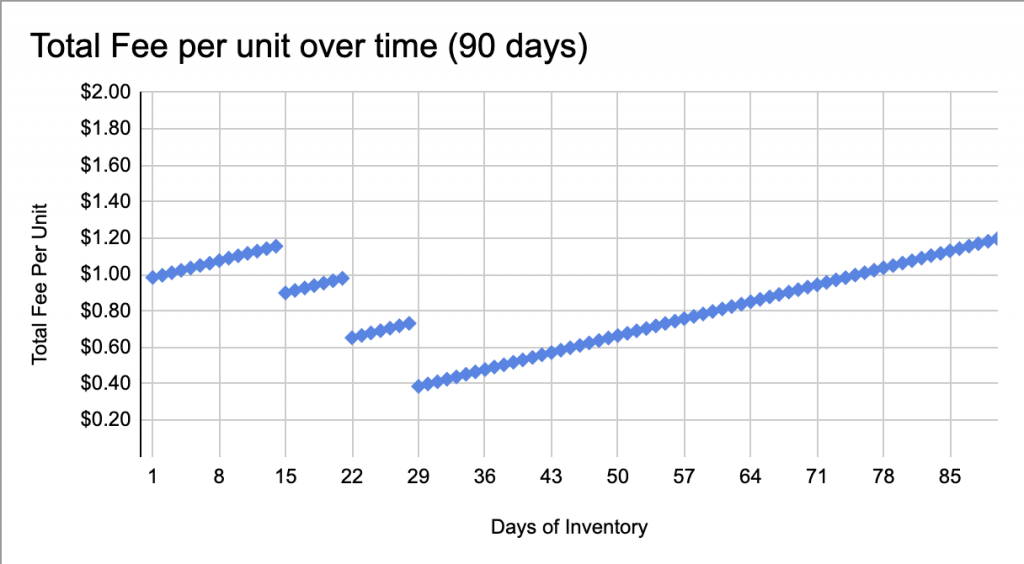
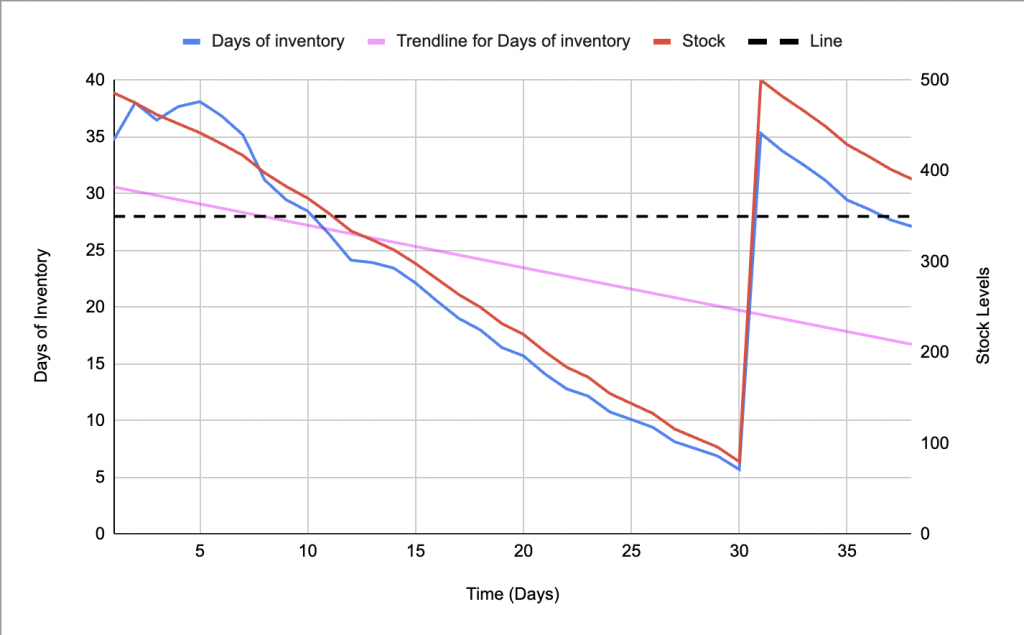
Fee impact graphs: The lower your days of supply, the higher the per-unit penalty — and the faster visibility drops.
Real Seller Examples (2026 Numbers)
Example 1: Phone Case (Small Standard, 10 units/day velocity)
- Drops to 12 days supply → extra $0.89/unit on every sale.
- 500 units sold while low = $445 extra in one month.
- Plus ranking suppression = 15–25% fewer organic impressions.
Example 2: Kitchen Gadget (Large Bulky, now affected)
- 22 days supply → $0.92/unit penalty.
- 300 units shipped = $276 hit + potential LIL visibility penalty.
Example 3: High-velocity bundle at 35 days Zero LIL fee + no aged surcharge = clean margins and strong ranking.
Our Profit Engine at p4product.com instantly combines LIL fees with fulfillment, TACoS, and aged penalties so you see the full picture.

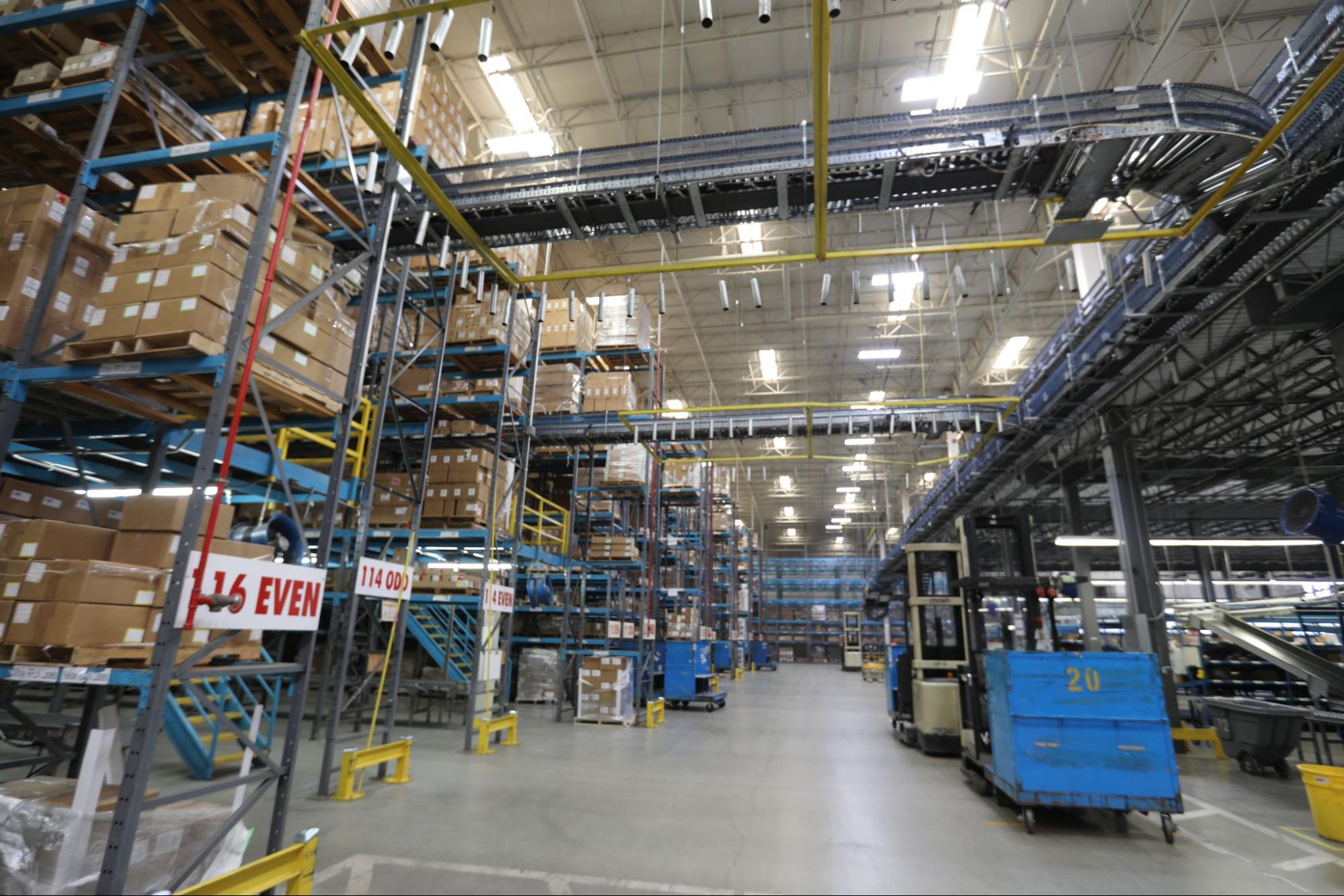
FBA warehouses rely on predictable stock levels. Running too lean forces Amazon to move inventory inefficiently across centers — that cost gets passed to you.
Why Low Inventory Also Hurts Your Ranking & Visibility
Amazon’s algorithm uses “in-stock rate” and “historical days of supply” as ranking signals. Frequent LIL triggers send a message: “This seller can’t fulfill reliably.” Result?
- Suppressed Buy Box share
- Lower organic search position
- Higher PPC costs to compensate
The 35–150 day sweet spot keeps you safe from both ends of the penalty spectrum (LIL + aged inventory).
7 Practical Strategies to Stay in the 35–150 Day Zone
- Calculate Exact Target Stock Target Stock = (Average daily sales × 35) + 20% buffer. Reorder when you hit ~45 days remaining.
- Use FNSKU-Level Monitoring Run the FBA Inventory Health report weekly + our Inventory Penalty Auditor for automated alerts.
- Set Automated Replenishment Ship smaller, more frequent batches (every 30–45 days) instead of one big monthly load.
- Leverage AWD (Amazon Warehousing & Distribution) Stage extra buffer inventory off-site and flow into FBA only when needed.
- Bundle or Promote Before Dropping Low Create multi-packs or run Lightning Deals when you approach 40 days.
- Enroll New Products Correctly Use FBA New Selection program for the first 180 days (often exempt from LIL).
- Combine with Aged Inventory Rules Never let anything exceed 150 days — liquidate or remove proactively using our tools.

![Amazon low-inventory-level fee explained [with steps to avoid it] | Red Stag Fulfillment](https://redstagfulfillment.b-cdn.net/wp-content/uploads/Amazon-low-inventory-fee-ft.jpg "Low-Inventory-Level Fees Explained: Maintaining 35–150 Days Supply Without Visibility Loss")
Warning signs in the warehouse — exactly what Amazon wants to avoid by charging LIL fees.
30-Day Action Plan (Copy-Paste Ready)
Week 1: Export Inventory Health + Aged Surcharge reports. Run every FNSKU through p4product.com tools. Week 2: Set reorder points at 45 days supply for all active SKUs. Week 3: Submit first smaller replenishment shipment. Week 4: Review LIL charges in Payments report and adjust.
Frequently Asked Questions
Q: What if I sell variations? Each FNSKU is now judged separately — a slow color/size can trigger fees even if the parent looks fine.
Q: Does it apply during peak season? Yes — the same rules apply year-round (holiday peak fees are separate).
Q: How do I check if I’m being charged? Go to Payments → Reports → Low-Inventory-Level Fee report (new in 2026).
Q: Can I get refunded? No — but prevention is simple with the 35-day buffer.
Q: How does this interact with TACoS and storage fees? Our Profit Engine models all three together so you never trade one penalty for another.
Stop Paying the “Lean Tax” in 2026
Low-Inventory-Level fees are completely avoidable. Sellers who maintain the 35–150 day sweet spot enjoy lower costs, stronger rankings, and healthier margins while competitors scramble.
At P4Product.com we built the Inventory Penalty Auditor and Profit Engine specifically for this exact 2026 challenge — 100% free, no login, updated with official Amazon data.
Ready to check your SKUs right now? → Launch Inventory Penalty Auditor → Run Full Profit Simulation
All content is for educational purposes only. Results vary by account. Always verify in Seller Central.