
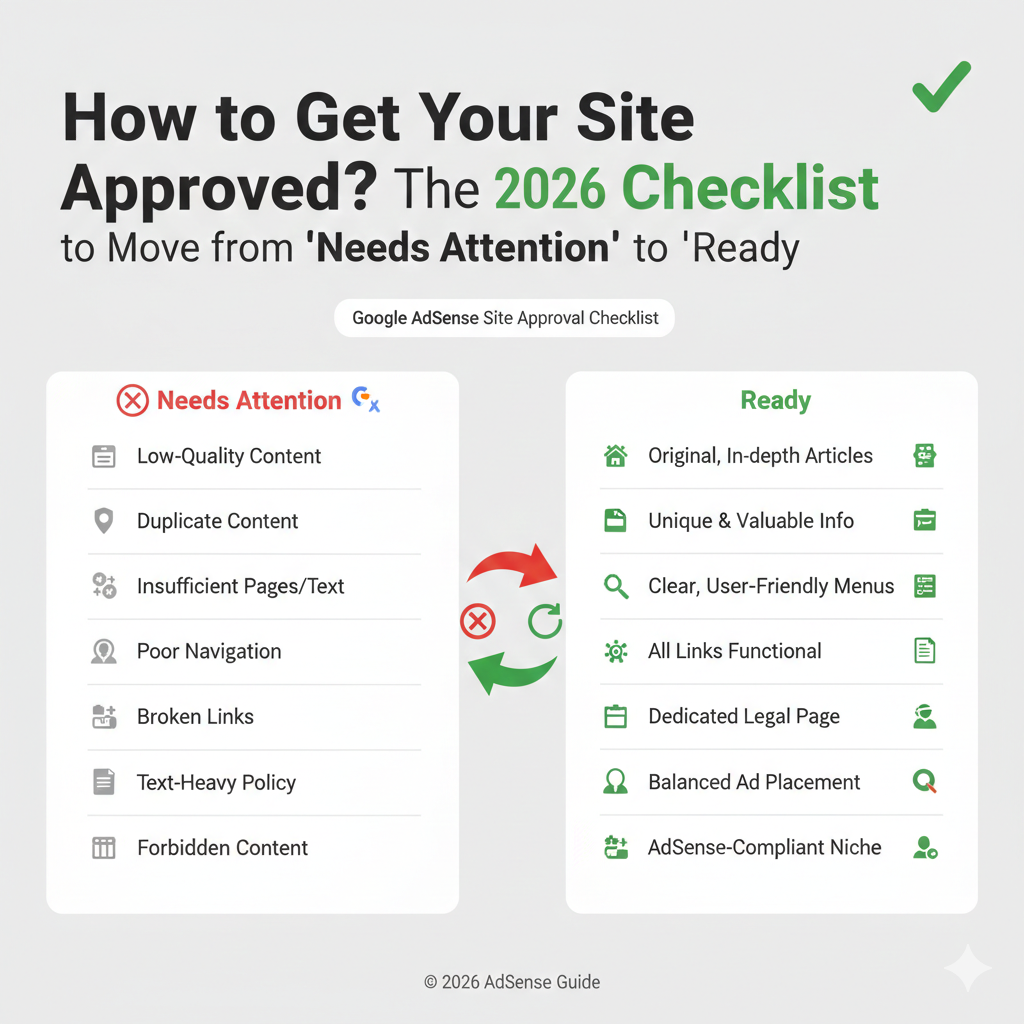
Is your Google AdSense application stuck in “Getting Ready”? Or worse, have you been met with the dreaded “Needs Attention” status?
Getting your site approved for AdSense is the first major milestone for any publisher. While the process can feel like a “black box,” Google actually looks for three specific pillars of quality. In this guide, we’ll break down the official best practices and fill the gaps on how to fix common rejections.
Pillar 1: Technical Implementation (The Ad Code)
The most common reason for a “Site Not Reachable” error is a simple code placement mistake. To ensure Google’s crawler can find your site:
- Copy Exactly: Do not modify the ad code snippet. Copy it directly from your AdSense homepage.
- Placement: Insert the code between the
<head>and</head>tags of your HTML. If you use WordPress, you can use a “Header and Footer” plugin or your theme’s integration settings. - Ownership Verification: Alternatively, verify your site ownership via Google Search Console. If Google already recognizes you as the owner there, it can speed up the activation process.
Pillar 2: Site Accessibility (Is Your Site Reachable?)
Google cannot approve a site it cannot see. If your status is “Site Down or Unavailable,” check the following:
- Global Access: Ensure your site is live and accessible from all geographic locations.
- Robots.txt: Check your
robots.txtfile to ensure you aren’t accidentally blocking the Mediapartners-Google crawler. - Remove Paywalls/Logins: Google’s crawler cannot bypass password-protected pages or login screens. Temporarily disable these during the review period.
Pillar 3: Policy Compliance (The “Content” Gap)
This is where 90% of rejections happen. Google rarely tells you exactly which post is the problem, but it usually falls into one of these three categories:
1. Low-Value Content
The Fix: Your site needs to provide a “unique benefit” to the user.
- Content Volume: Aim for at least 15–20 high-quality articles (800+ words each) before applying.
- Human-First: In 2026, Google is heavily filtering unedited AI-generated “fluff.” Ensure your content has a unique voice and expert insight (E-E-A-T).
2. Replicated Content
The Fix: Even if you didn’t “copy-paste,” your content might be too similar to existing information on the web.
- Avoid “News Curations” or “Product Lists” that don’t add new commentary.
- Ensure every page on your site offers something that cannot be found elsewhere.
3. Site Navigation & Structure
The Fix: A professional site is a credible site. You must have:
- A Working Menu: Ensure categories and links aren’t broken.
- Essential Pages: You must have a “Privacy Policy,” “About Us,” and “Contact” page.
- Mobile Responsiveness: If your site is hard to navigate on a phone, it will be rejected.
Troubleshooting: What the Rejection Email Actually Means
The comments on the AdSense channel show how frustrating vague emails can be. Use this “decoder” to find your true issue:
Summary: The Final Approval Checklist
- [ ] Ad Code: Placed in the
<head>of your most popular page. - [ ] Legal Pages: Privacy Policy, About, and Contact pages are live.
- [ ] Content Depth: 15+ original, long-form articles published.
- [ ] Technical: Site loads in under 3 seconds and is mobile-friendly.
- [ ] Patience: Keep your site in the “Sites List”—removing and re-adding it resets your wait time.
Still Getting Rejected?
Optimization is a process of trial and error. If you’ve fixed the technical issues and are still being denied, the issue is almost always Content Authority.