In 2026, Amazon sellers face higher CPCs, tighter organic visibility, and rising fulfillment fees that can add 10-15% to costs in many categories. The metric that ties everything together is TACoS—Total Advertising Cost of Sales. Unlike ACoS, which only looks at ad-attributed revenue, TACoS measures ad spend against all sales, paid and organic. Keeping it steady at 10-15% gives room to grow total revenue while protecting net margins.
This range has held as a practical benchmark across thousands of accounts in recent audits: below 10% often signals under-investment in visibility; above 15% starts pressuring profitability once storage and referral fees are factored in. The approach below draws from current performance data—average CPC projections of $1.18–$1.25, conversion rates holding around 10–10.5%, and efficiency gains seen from targeted tweaks—to show exactly how to maintain that band while sales scale.

ACOS vs TACOS: Which Amazon PPC Metric Matters Most? – Brand Builder University
What TACoS Actually Measures (and Why It Beats ACoS Alone)
The formula is straightforward:
TACoS = (Total Ad Spend ÷ Total Sales) × 100
Total sales include every order—those triggered by ads and those coming in organically. ACoS only divides spend by ad-attributed sales, so it can look healthy (say 20%) while your overall business leans too heavily on paid traffic, pushing TACoS to 25%+ and eating into the margin left after Amazon fees.
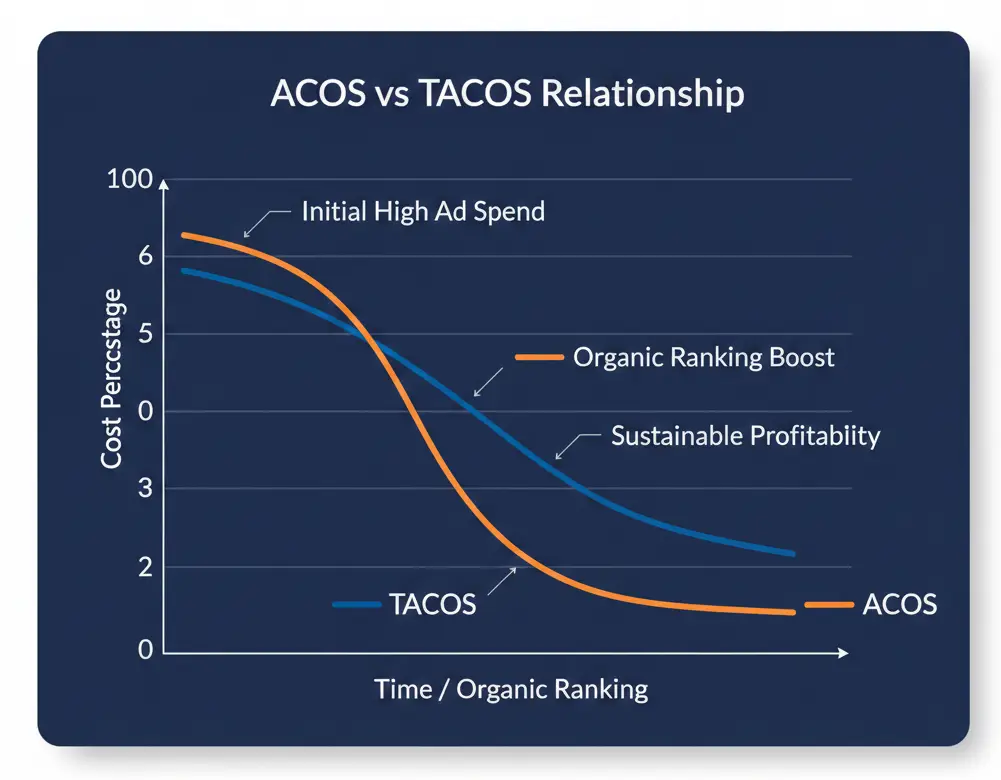
In practice, a 10-15% TACoS leaves breathing room. For a product with 30% gross margin before fees, subtracting a 12% TACoS still leaves a positive net contribution once storage spikes or low-inventory penalties hit. Data from 2025–2026 shows sellers who tracked both metrics weekly reduced reliance on ads over time: organic sales grew as rankings improved, naturally pulling TACoS lower without cutting budgets.
2026 Realities: Rising Costs Make Precision Non-Negotiable
CPC has climbed 8–12% year-over-year into 2026, with category averages landing at $1.18–$1.25 (and peaks near $1.45 in health supplements or electronics during Q4). More than 70% of active sellers now run ads, up from roughly 40% five years ago, which compresses organic reach and forces everyone into the same bidding pools.
Yet the sellers holding TACoS at 10-15% aren’t spending less—they’re spending smarter. They combine hourly bid adjustments (delivering 10-15% efficiency lifts), weekly negative-keyword hygiene (recovering 5-15% of wasted clicks), and listing work that lifts conversion rates to the 10–15% range. AI automation usage is projected at 82–85% this year, and those using it consistently see 20–35% better ACoS within 60 days—directly feeding lower TACoS.

Amazon ad revenue forecast 2026| Statista
The TACoS Calculator: Build It, Use It, Update It Weekly
You don’t need fancy software to start. Pull two numbers from Seller Central every Monday:
- Total ad spend (Advertising > Campaign Manager > Date range: last 7 days, all campaigns).
- Total sales (Reports > Payments > All Orders or Business Reports > Detail Page Sales and Traffic).
Plug them into the formula above. For a quick example: $2,500 ad spend and $25,000 total revenue = 10% TACoS. If the same spend produced only $15,000 total revenue, TACoS jumps to 16.7%—a clear signal to audit.
To make it repeatable, set up a simple spreadsheet:
- Column A: Week ending date
- Column B: Ad spend
- Column C: Total revenue
- Column D: =B2/C2*100 (format as %)
- Add a target column at 12% and a variance column.
Track alongside your profit engine numbers—storage fees, referral rates, and any low-inventory penalties—so you see the true net impact. Many sellers who added this weekly 5-minute check caught TACoS creep early and adjusted before it hit 18%.
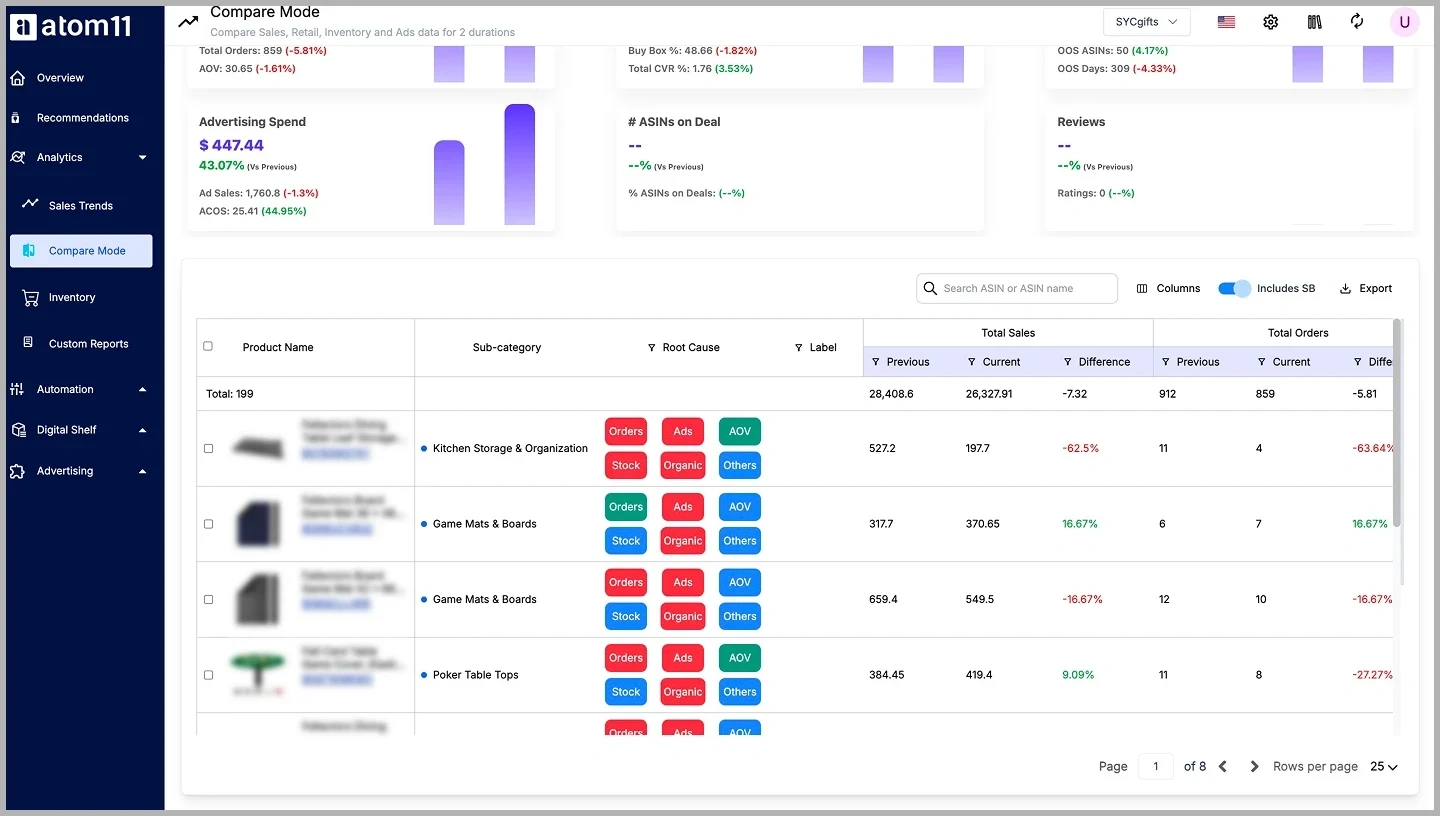
ACoS vs TACoS: Understanding Amazon Advertising Metrics
Step-by-Step PPC Adjustments to Hold 10-15% TACoS While Sales Grow
Week 1: Campaign structure and negative-keyword hygiene Split campaigns into exact-match (proven winners, tight bids), broad-match (discovery), branded (defensive), and competitor-targeting. Review the Search Term Report for the past 7 days: any term with 10+ clicks and zero orders goes straight into negative exact or phrase lists. This alone typically frees 5-15% of budget for better-performing terms.
Week 2: Placement and dayparting Test top-of-search multipliers only on new or low-ranked ASINs; mature page-1 products often perform fine with zero multiplier. Use Marketing Stream data (or equivalent hourly reports) to lower bids 30-50% during low-conversion hours and raise them in peak windows. Most accounts see immediate 10-15% efficiency improvement.
Week 3: Listing and organic lift Update titles (under 150 characters), bullets, and A+ content with high-intent search terms pulled from your own Search Query Performance reports. Add bundles or volume discounts to raise average order value—every extra $5 in AOV lowers the relative impact of ad spend. Aim for conversion rates in the 10-15% range; anything lower usually points to image or pricing issues.
Ongoing: Promotions and AI-assisted bidding Run small Brand Tailored Promotions (10-20% off) on best-sellers rather than deep discounts that spike short-term ACoS without organic carry-over. Enable automated or AI rules that adjust bids to a target ACoS aligned with your overall TACoS goal. Re-check the calculator weekly: if TACoS edges above 15%, pause underperformers and shift budget to top queries.
Monitoring incremental lift Look at contribution margin after ads (CM2) and total sales growth versus ad spend growth. When total sales rise faster than spend, TACoS drops naturally—exactly the pattern that compounds over months.
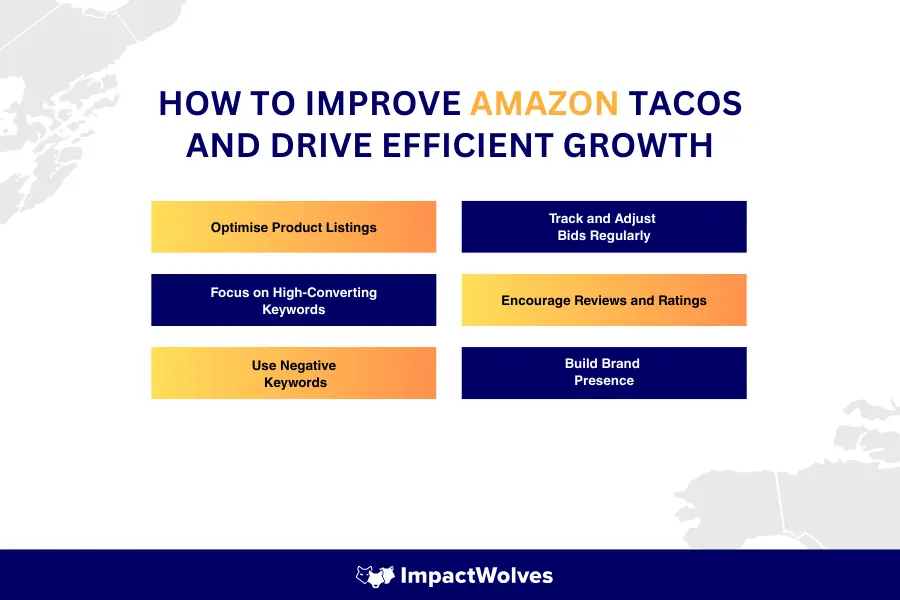
How Amazon TACoS Can Transform Your Advertising Strategy?
Scaling Sales Without Breaking the 10-15% Band
Real examples from 2025–2026 data show the pattern: one account moved from 34% TACoS (flat organic, heavy ad reliance) to 22% by trimming low-ROI campaigns and letting organic recover. Another dropped from 14.75% to 6.47% while improving Best Seller Rank through targeted keyword work and placement tweaks. The common thread? They treated TACoS as a weekly health check, not a quarterly review.
In 2026, with projected CPC and fee pressure, the safest scaling path is to increase ad spend only in proportion to verified organic gains. When your calculator shows TACoS holding steady or trending down as revenue climbs, you know the system is working. Pair it with full P&L visibility—factoring storage surges and referral tiers—so you never confuse top-line growth with bottom-line health.
What is Amazon PPC? Meaning, Types & Campaign Strategy 2026
Staying at 10-15% TACoS in 2026 isn’t about cutting corners or chasing magic tools. It’s about consistent, data-backed adjustments: weekly calculation, targeted bidding, organic reinforcement, and clear margin awareness. Sellers who follow this rhythm scale sales steadily while keeping advertising a controlled part of the equation rather than the dominant driver. The numbers speak for themselves—track them, act on them, and the 10-15% range becomes achievable month after month.
The 2026 Edition: Critical Updates Impacting Your TACoS
To maintain a 10-15% TACoS this year, your strategy must account for the strict fee restructurings and algorithm shifts introduced in early 2026. Relying on 2025 playbooks will quickly erode your net margins. Here are the distinct changes you must build into your tracking:
Tracking Contribution Margin (CM2): Looking at TACoS in a vacuum is no longer safe. Because of the newly introduced Inbound Placement Fees and the 15-month “Aged Inventory” tier ($0.35/unit surcharge), tracking your Contribution Margin (CM2) alongside TACoS is mandatory. A 12% TACoS is irrelevant if hidden inventory surcharges are quietly consuming the rest of your profit.
Fee Restructuring & The “8-Cent” Rule: Baseline fulfillment fees have increased by an average of $0.08 per unit for items priced between $10–$50, and up to $0.31 for higher-priced goods. More importantly, Low-Inventory Level Fees are now calculated at the FNSKU level. You can no longer rely on a fast-moving parent ASIN to shield slow-moving variations; every individual child ASIN must maintain a 28-day supply to avoid penalties.
The “Double-Discount” Trap: Brand Tailored Promotions now offer advanced segmentation, allowing you to specifically target “Cart Abandoners” or “High-Spend Customers.” However, these promotions now aggressively stack with traditional coupons and “Subscribe & Save” discounts. Without strict promotional auditing, a customer can trigger three simultaneous discounts, instantly blowing past your 15% TACoS threshold.
A10 Algorithm & Mobile-First Indexing: Over 67% of Amazon visits are now strictly mobile. The current iteration of the A10 algorithm heavily weights “Mobile CTR”—meaning if your main image doesn’t stop the scroll on a small screen, your PPC spend is wasted. Additionally, A10 places a massive premium on external validation; high-converting external traffic (like a niche blog or email list) is weighted much heavier for organic ranking than internal PPC clicks.